Expenses & receipts
Bookings you make on Runway arrive in Expenses automatically, already coded. You can also add on-trip spend and attach receipts there.
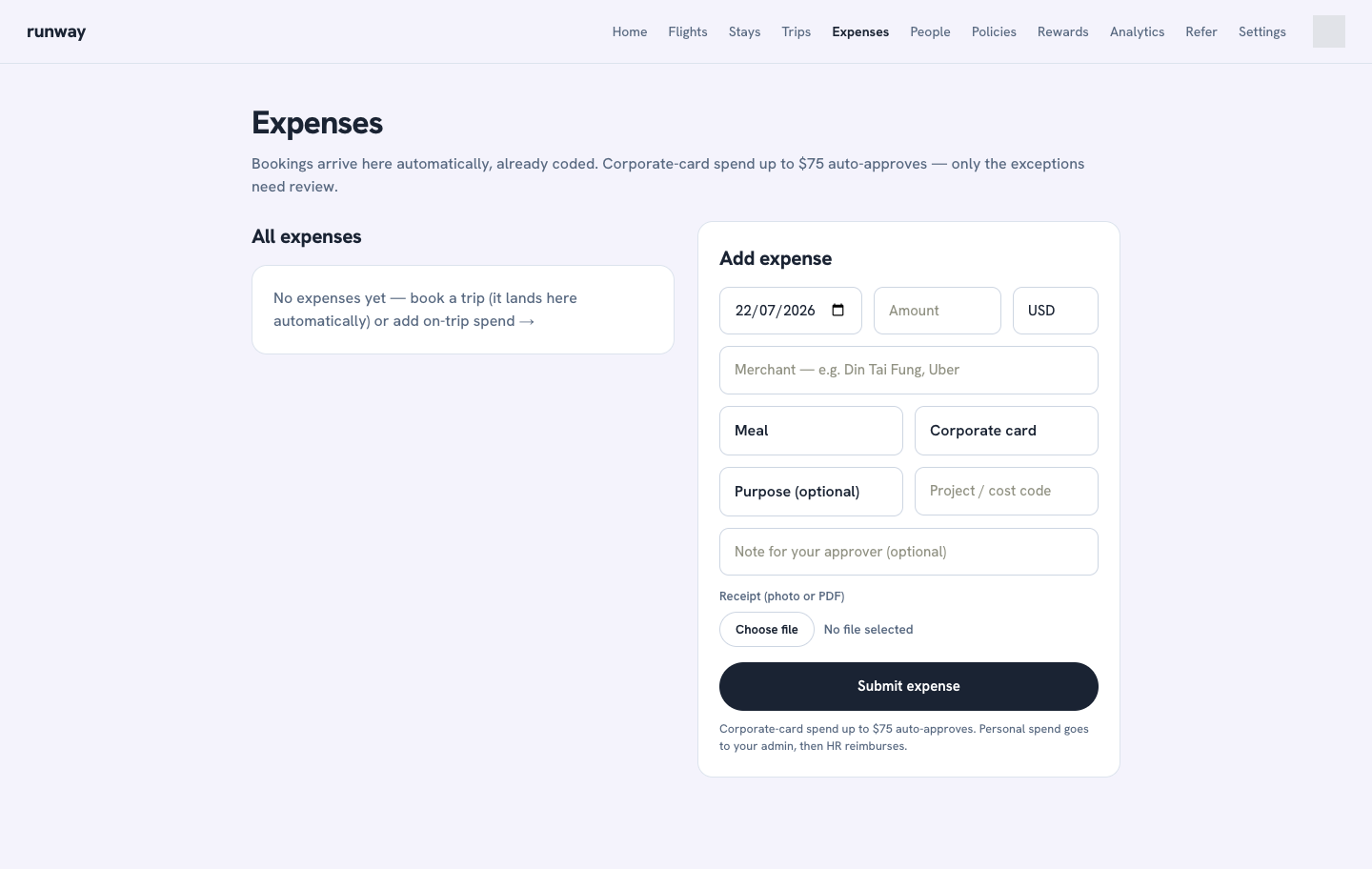
How expenses work
- Every saved trip request lands in Expenses automatically. A rate-on-request stay shows a pending amount until its rate is confirmed.
- Corporate-card spend up to US$75 auto-approves. Larger amounts go to an admin for review.
- Personal spend goes to an admin for review and then to HR / Finance for reimbursement.
- Admins and HR / Finance can see company expense queues; members see their own expenses.
Add an expense with a receipt
- Open Expenses.
- Under Add expense, enter the date, amount, and merchant.
- Choose a category: Meal, Transport, Entertainment, Office, or Other.
- Choose Corporate card or Personal (reimburse me).
- Add an optional purpose, project or cost code, and note for your approver.
- Attach a receipt as a photo or PDF.
- Select Submit expense.
Review and reimburse expenses
Admins can approve an expense or decline it with a required reason. HR / Finance can mark approved personal expenses as reimbursed.
Admins and HR / Finance can export the company expense list from the top of the Expenses page.